
How to set up Siri on iPhone
Siri is a built-in "intelligent assistant" that enables users of iOS devices to speak voice commands in order to operate the mobile device and its apps. You can use Siri on iPhone and MacBook.
Users can speak commands, and receive audible confirmation from Siri, to send messages, place calls, set reminders, operate iTunes and more. All you need is internet access and your voice.
Setup Siri on iPhone
1. Launch the Settings app on your iOS device.

2. Scroll down and select Siri and Search

3. Enable Listen for Hey Siri.
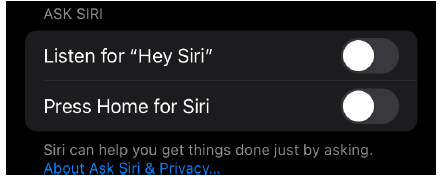
4. Tap Enable Siri
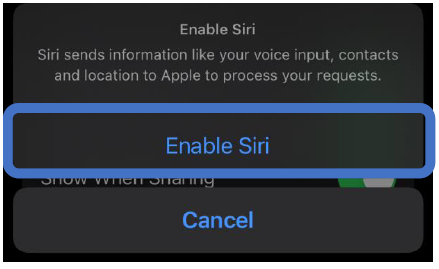
5. Siri will ask you to choose a voice you would like to use. Choose and Tap Continue

6. Then Siri will ask you to say "Hey Siri" into the device to train her to recognize your voice.
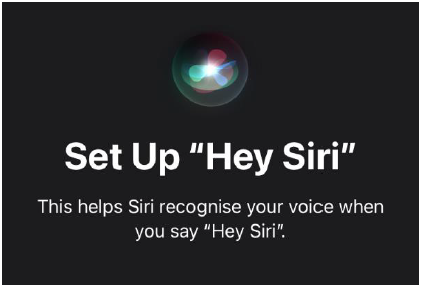
7. Say “Hey Siri” into the device
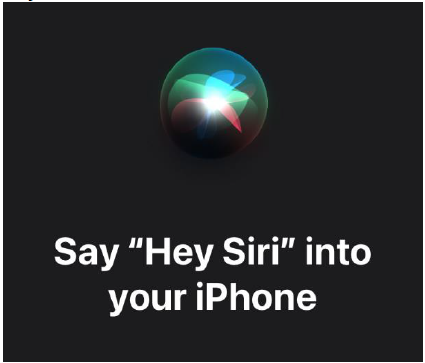
8. When Siri has the information she needs, you'll see a check mark

How to ask questions to Siri
Siri is ready when you are, so long as you have an Internet connection, be it cellular or Wi-Fi.
You can activate Siri in one of two ways:
1. The most common way is to say “Hey Siri”,
2. To press the Home button for 1sec, or the Main button on your wired or wireless headset, if you wear one,
Activate Siri with voice
1. When you turn on Siri with your voice, Siri responds out loud.
• Say "Hey Siri," then ask Siri a question or ask Siri to perform a task for you.
• Say, for example, "Hey Siri, what's the weather like today?" or "Hey Siri, wake up at 8 a.m.".
2. To ask Siri another question or to ask Siri to perform another task, say "Hey Siri" again or tap the Listen button.
Activate Siri with a button
When you turn on Siri with a button, Siri responds silently when the iPhone is in Silent mode. When Silence Mode is turned off, Siri responds aloud.
Do one of the following:
1. On an iPhone with Face ID: Hold down the side button.
2. On an iPhone with a Home button: Press and hold the Home button.
3. EarPods: Hold the center or call button.
When Siri appears, ask it a question or ask it to perform a task for you.
4. For example, say "What is the last episode of Pokemon?" or "Put a 10-minute timer."
5. To ask Siri another question, or to ask Siri to perform another task, tap the Listen button.
6. You can also turn Siri on by tapping compatible AirPods.