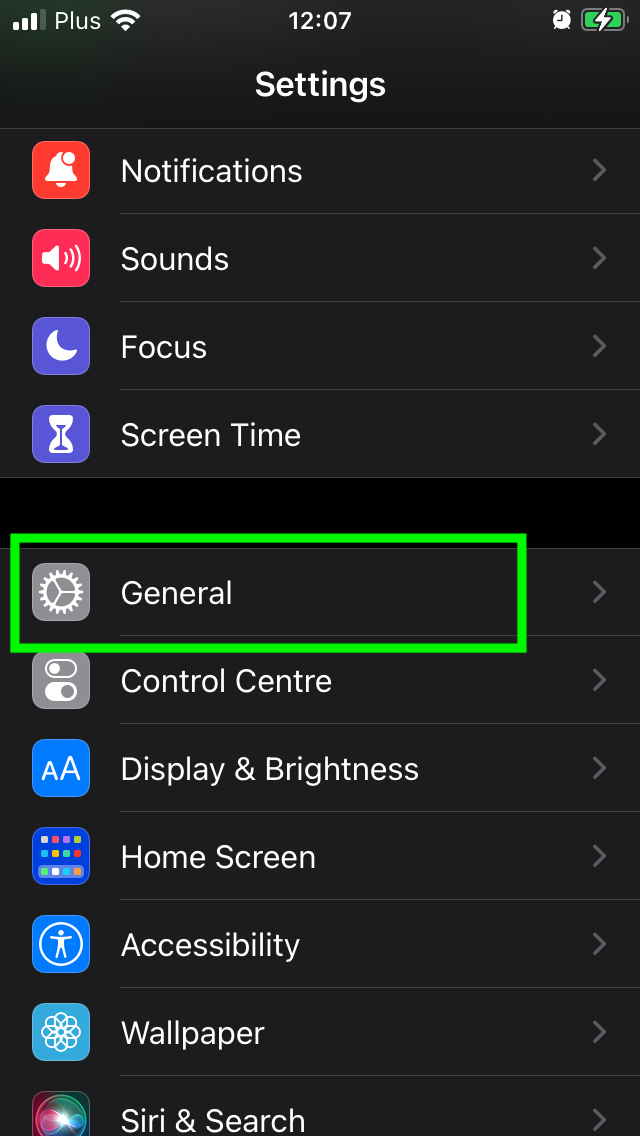
UPDATE AN iPHONE
The updating is something very important. Update an iPhone allow to access few things, new game, security most efficient, etc. Sometimes we have bugs on the phone and the update will fix it. Sometimes some app doesn't will work because they need be update or they are update but your phone is not update. They are not consistent.
To update an iPhone, you need a good network, so it is recommended to connect it to Wi-Fi.
- Unlock your phone and Connect it with Wifi
- Settings => General => tap Software Update
- Install the software update you want to install
That way, you don’t have to search and download.
Then go to “Software Update”. If an update is available for your iPhone, it will be downloaded and installed. Or you can enable automatic updates.
If you had already active automatically update, it's can do it when charging just need be connect wifi.
To active automatic updates:
- Tap Settings => General => Software Update.
- Tap Automatic Updates => Download iOS Updates.
- Turn on Install iOS Updates. But some updates need to be installed manually.