
How to reset an iPhone
In this article I will show you how to reset an iPhone to zero !
There are several reasons you may want to reset an iphone. Most commonly, people reset their iphones because they are experiencing major software errors, like issues connecting to networks or apps crashing. Resetting the phone to its factory settings should resolve these errors and restore normal functioning.
Resetting your iPhone isn't something to do in a whim, but it can be necessary in the right circonstances.
To clear the iPhone, do the following :
We have to remove the Apple ID before doing it, because the iPhone will still have your account if just clear it without removing it.
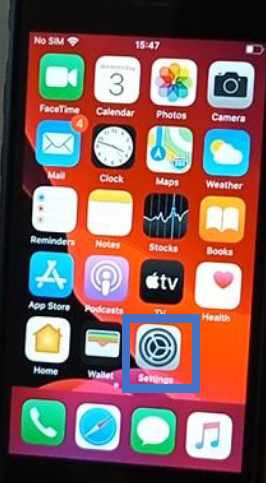
1 : First go to the Settings !
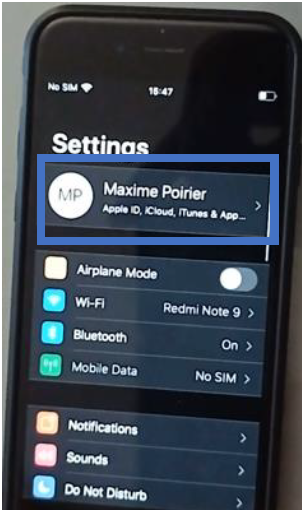
2 : Tap the first setting
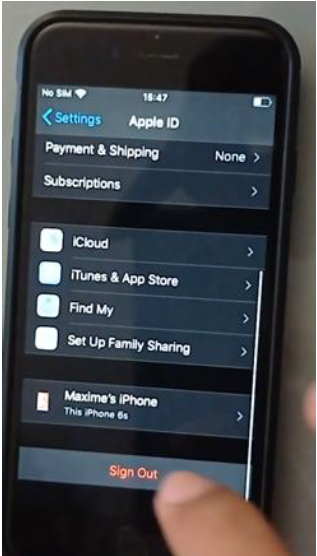
3 : Then slide down and tap “Sign Out” to remove your Apple ID from your iPhone !
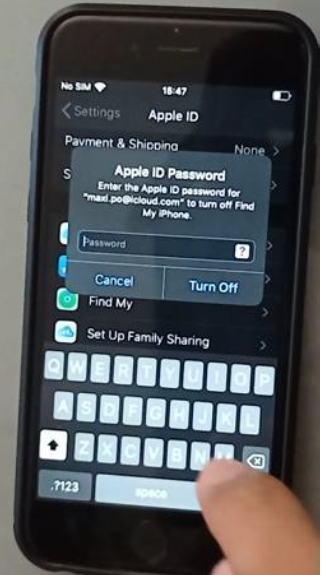
4 : For security purpose you will need to enter your password.
5 : Then you will be asked this, if it’s okay for you, tap “Sign Out” .
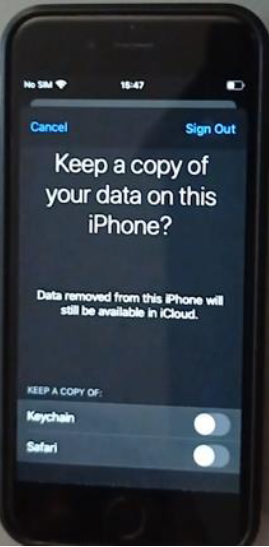
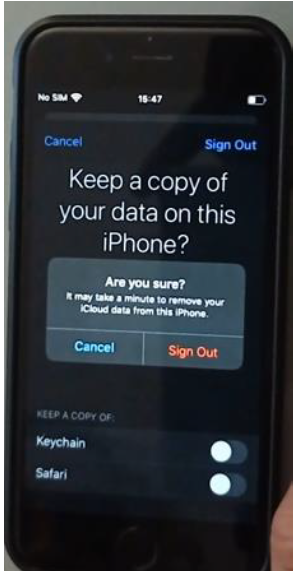
6 : You will be asked if you are sure about doing that. Tap “Sign Out”
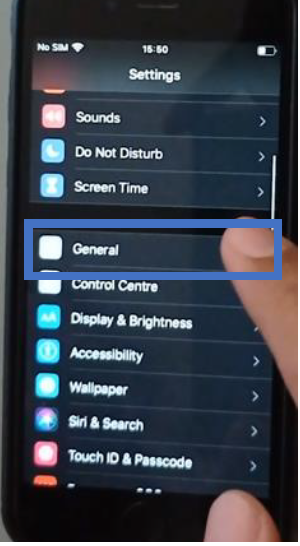
7 : Go back to the Settings menu and slide down, tap General settings
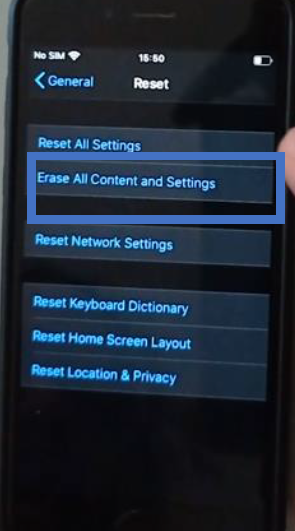
8 : Slide down and tap “Reset”
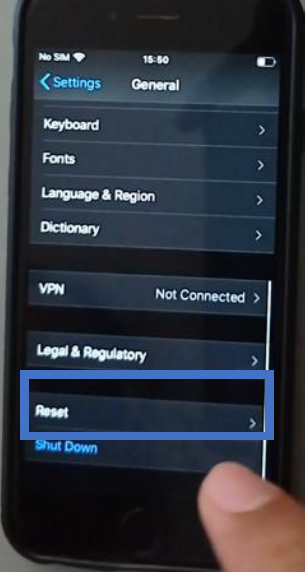
9 : Tap “Erase All Content and Settings” to completely clear the iPhone
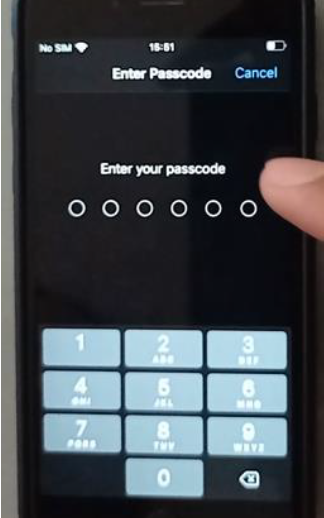
10 : Now you need to enter your passcode to confirm !
It’s also smart to reset your iphone before selling it. Resetting your iphone will remove your apps, your contacts, your photos, your preferred settings, and other information stored on your phone so the new owner can start fresh. If you get a secondhand iphone that still has old information on it, you may also want to reset the phone so you can set it up the way you’d like.