CLOCK APP
The clock app does a lot of things. You have the alarm, the world clock, a timer and a timer.
ALARM
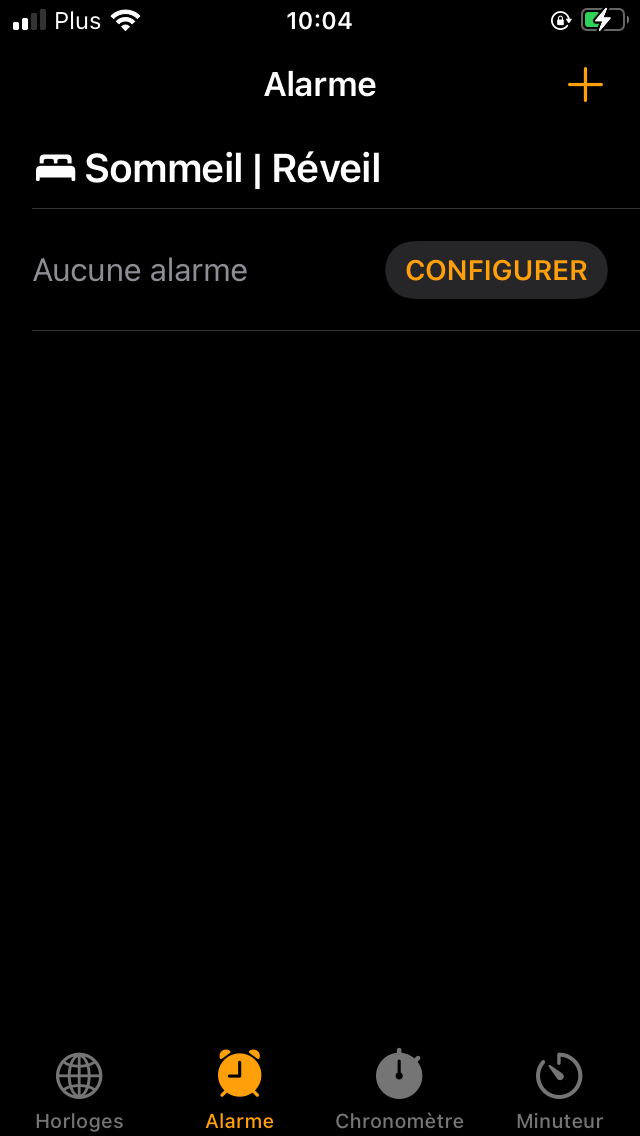
The first thing to know is how to add and configure the alarm, first press the clock icon.
When you are on the application menu select the options you want. First, we will select the alarm first and press "+" to add and configure your alarm.
In this menu, you will configure the alarm: set the time, choose the days you want the alarm to sound, choose the ringtone (sound). You can rename your alarm. it is necessary if you want to add another alarm. When your configuration is ok, click Save.
The first thing to know is how add and configure the alarm, first click the horloge icon.
When you are on the menu of the horloge app select the options you want. There we will select the alarm first and click on "+" for add and configure your alarm.
In this menu you will configure the alarm: adjust the time, choose the day you want the alarm ring (repeat), choose the ringtone (sound). You can rename your alarm. it's necessary if you will add another alarm. When your configuration is ok click on save.